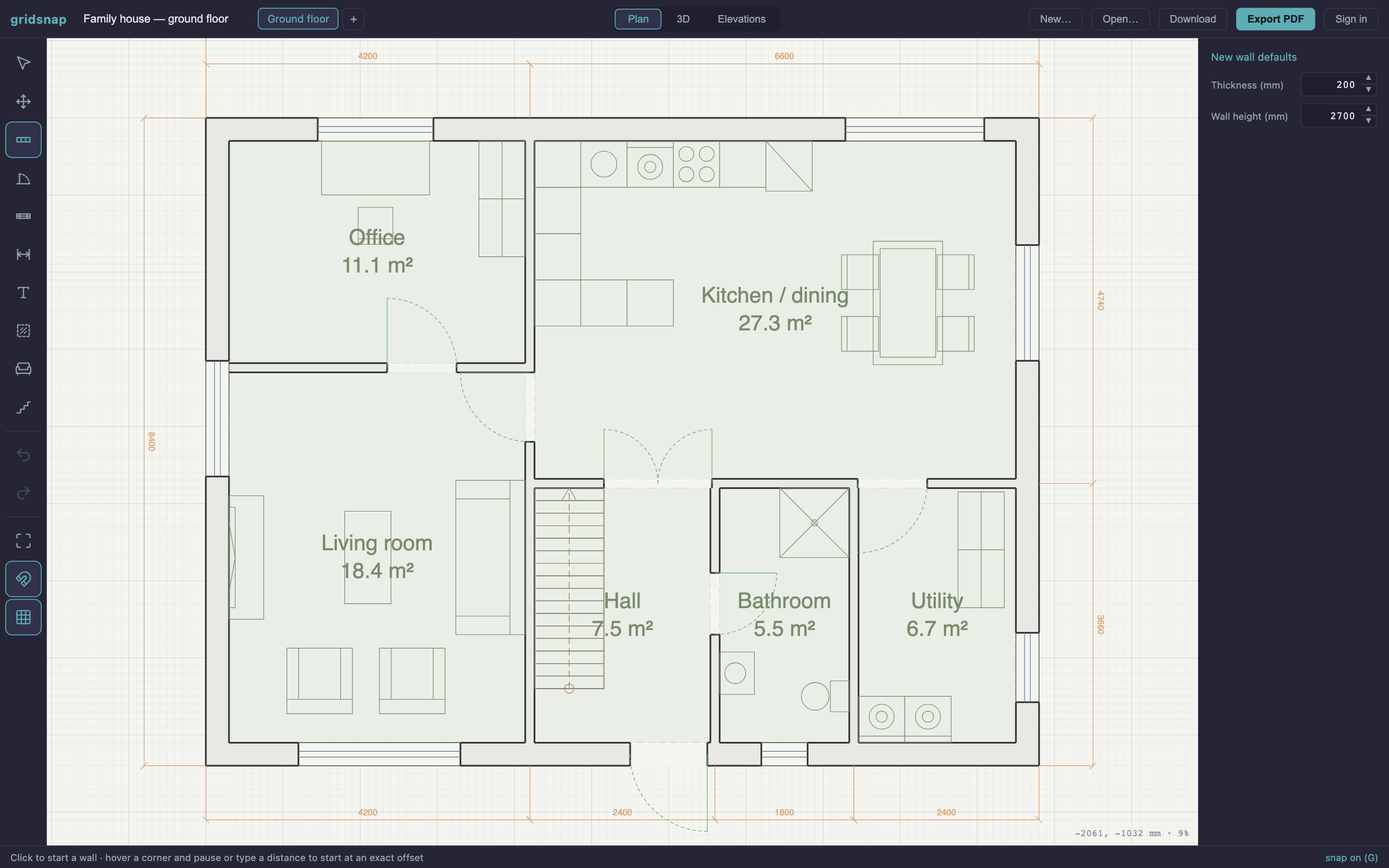
Test the new layout before you get quotes — and hand your builder a plan they can measure and price.
Turn paper plans into layered DXF for survey and facilities tools — or have us trace them from €29.
Furnish and rearrange in exact dimensions — start from a template and make it yours.
How to create a floor plan, free, in three steps
Nothing to download, nothing to sign up for — open the editor in your browser and draw. The same three steps whether you start from an empty grid, from a template, or from a photo of a plan that already exists.
Draw the walls
Click a corner, type the length, press Enter — the wall lands at that exact millimetre. The snap engine catches corners, keeps casually drawn walls straight and square, and closes the outline exactly. Rooms are detected as you go, labelled with their true net area in m².
How to draw a floor plan →Add doors, windows and furniture
Doors and windows snap flush into a wall and cut a real opening through it. Stairs are parametric and cut their own stairwell in the floor above. Furniture resizes to exact dimensions and stands against the wall it belongs on — all drawn as standard plan symbols.
Floor plan symbols guide →Check it, then export
The plan check reads the geometry and flags the mechanical mistakes — a door that cannot open, a room you cannot walk into. Then export a true vector PDF at 1:50, 1:100 or 1:200, a layered DXF for CAD, or a PNG. Free, and with no watermark.
What the plan check finds →Type exact lengths and angles — CAD-grade snapping does the rest.
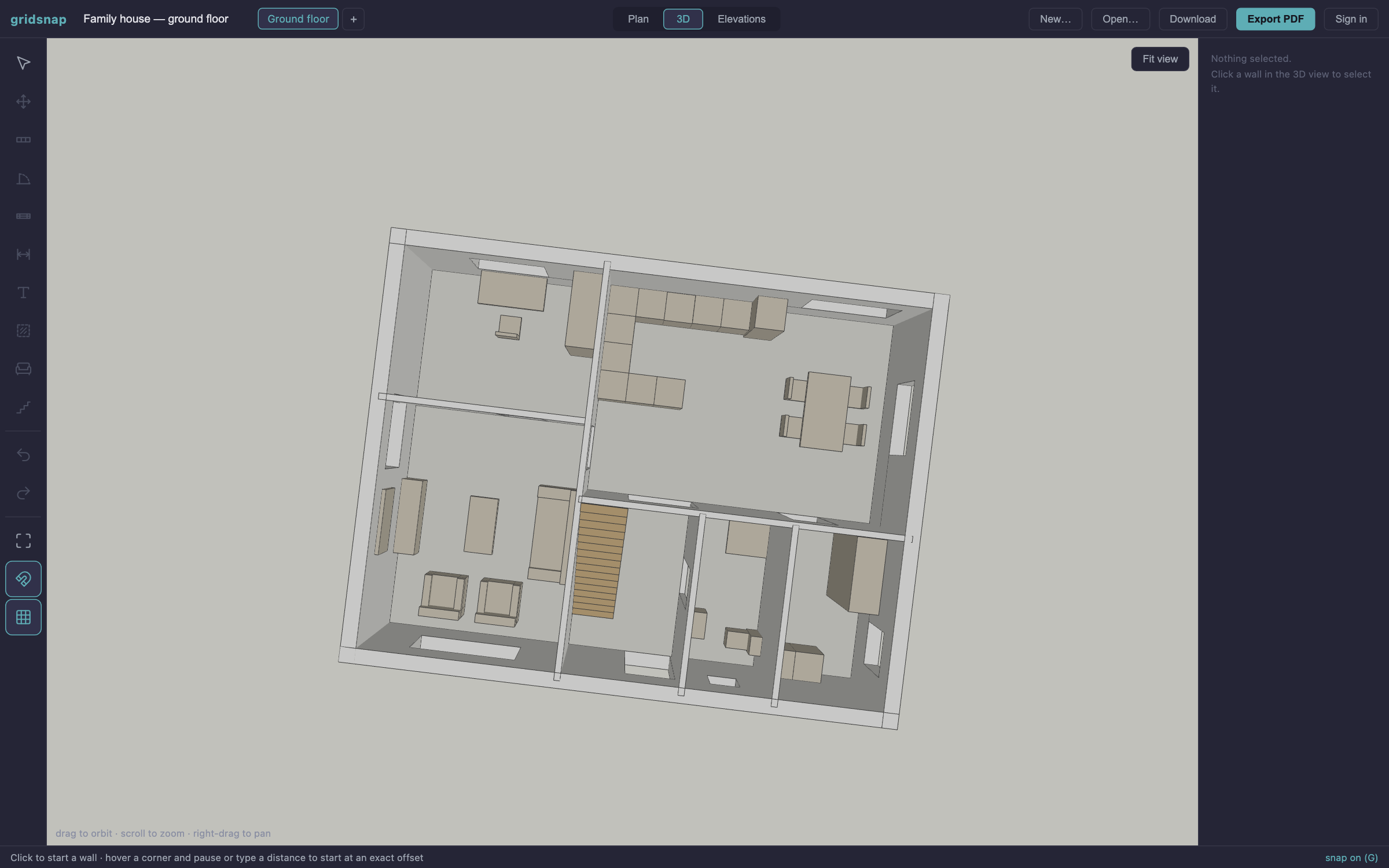
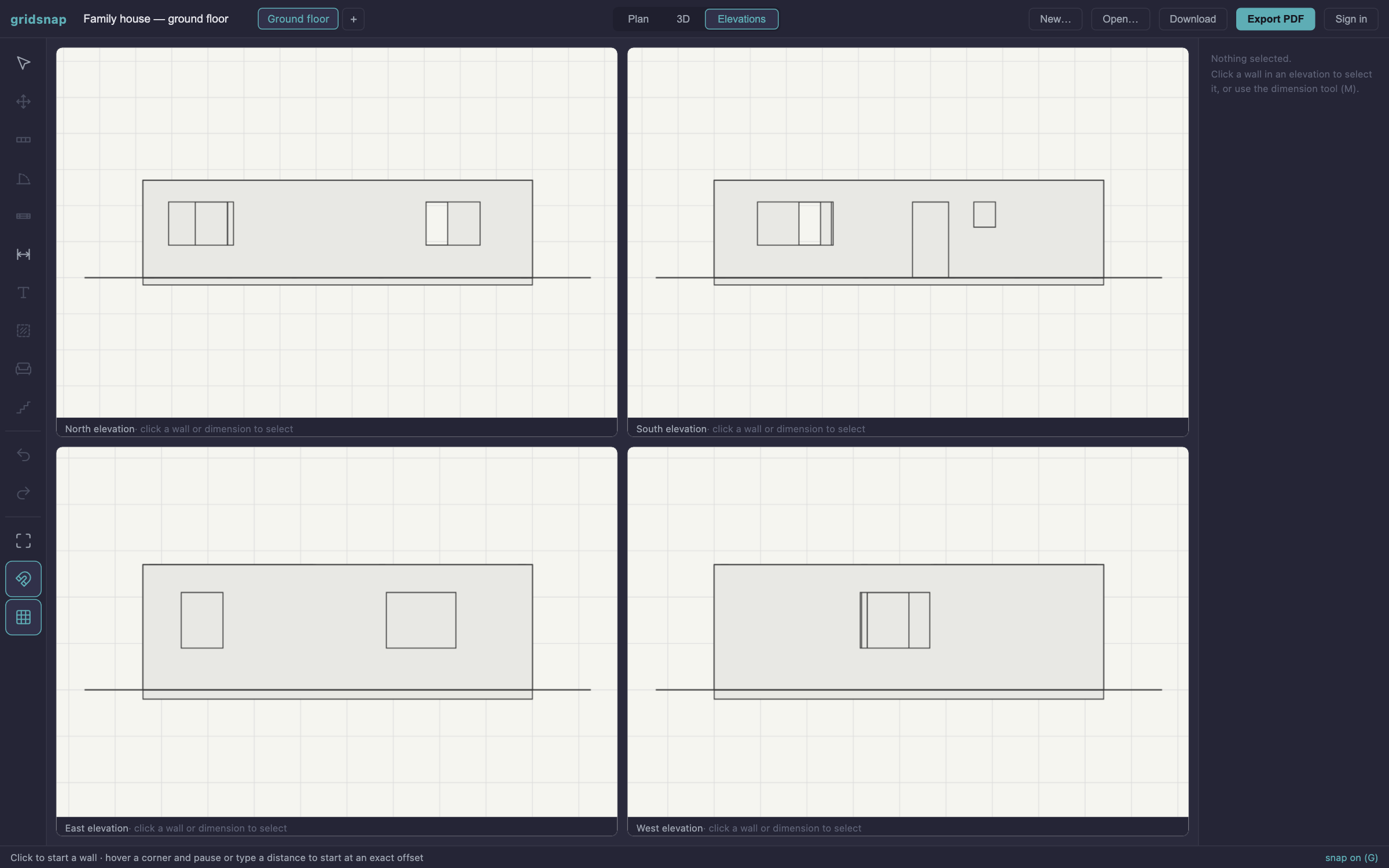
Walk the plan in 3D, get all four elevations automatically.
True-scale sheets and layered CAD files your architect can use.
Blocked doors, dead-end rooms, missing daylight — caught on paper.
One sentence in, a real drawn plan out — then edit it like any other.
No signup, no watermark. Pro adds the expert layer when you want it.
Draw like a draftsman, without the CAD manual
Click, type a length, hit Enter — walls land at exact millimetre dimensions. A real snap engine catches endpoints, mitered corners, intersections and alignments, keeps casually drawn walls perfectly straight, and lets you start a wall at an exact offset from any corner. Auto-detected rooms show true net m², and dimension chains anchor to the geometry and update as you edit.
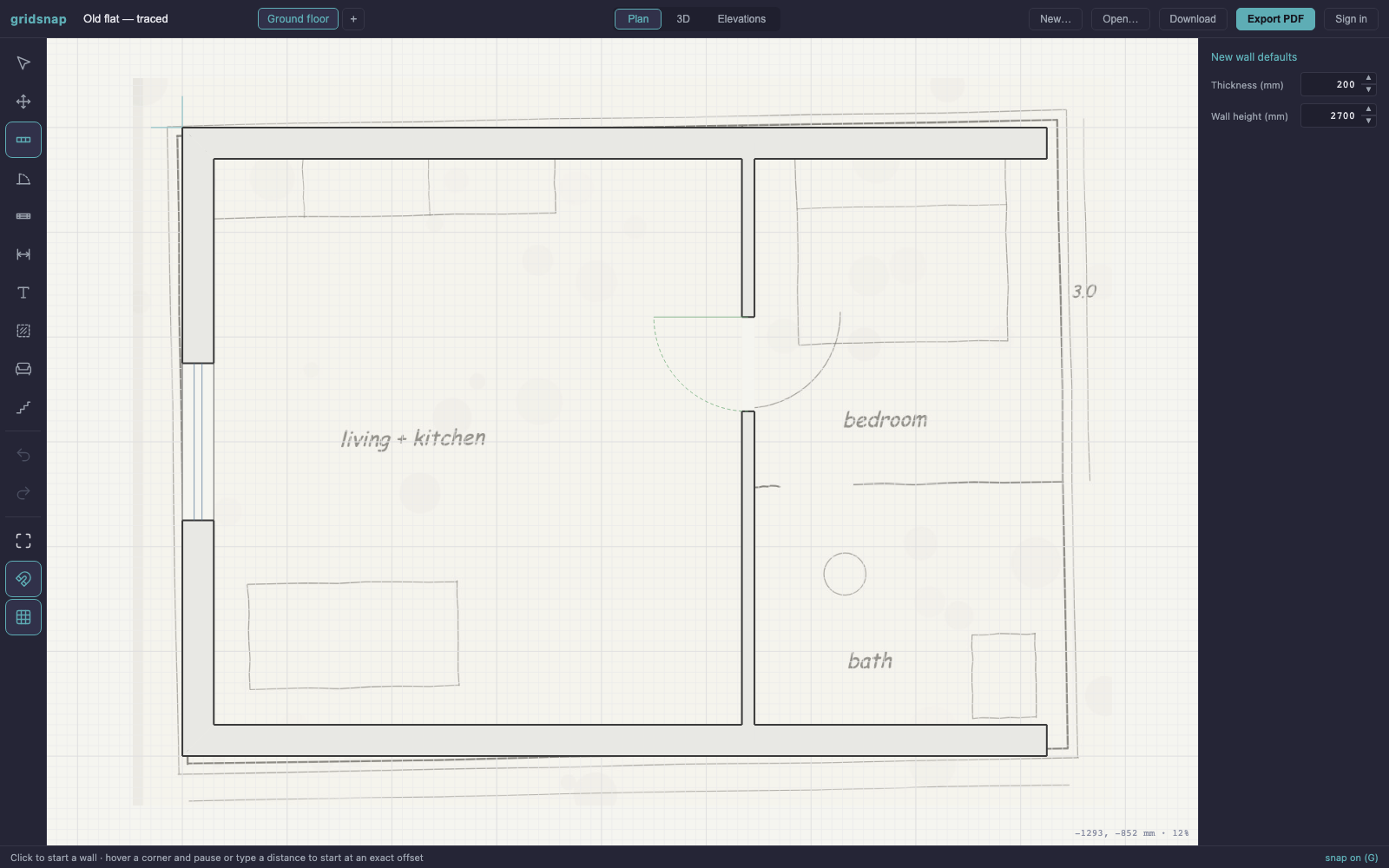
Already have a plan? Start from that, not a blank page
Most buildings already exist on paper — an old blueprint in a binder, the landlord's scanned PDF, a photo of the fire-escape plan by the lift. Drop the image in as an underlay, set the scale against one known distance, and trace over it. What comes out the other side is real CAD geometry in true millimetres: editable, dimensionable, and exportable as a layered DXF that opens clean in AutoCAD.
One plan, three views: 2D, 3D, elevations
Everything you draw is instantly a 3D model — walls with real door and window openings, roofs from gable to mansard with true overhangs and valleys, stairs with stairwell cutouts, terraces with railings and steps, furniture massing, multiple storeys including basements. All four elevations (N/S/E/W) generate themselves, and you can dimension directly on them.
Output your architect can actually use
Export true vector PDF sheets at 1:50, 1:100 or 1:200 on A4–A2 with a title block, scale bar and room schedule — measurable with a scale ruler, selectable text, no rasterization. Or hand over a layered DXF that opens clean in AutoCAD and ArchiCAD. PNG for quick sharing.
A second pair of eyes on every plan
Drawing accurately is only half the job — the other half is knowing whether the layout works. Gridsnap reads the geometry as you draw and applies the rules an experienced architect would apply, in millimetres, with the spot marked.
The things you only discover once you live in the house — found while they are still millimetres on a drawing. Nineteen rules over the real geometry: circulation, door swings and clearances, daylight, kitchen and bathroom practice, room minimums.
Ask any finding what it means and get an architect's note on your plan — what the rule protects, what to do here. Where the repair is unambiguous, one click applies it.
A sentence becomes a drawn plan: walls, doors, windows and furniture in true millimetres — generated by a solver, gated by the rule check, editable like anything else.
- 01Door swings and walk-up space, both sides
- 02A walking route to every door and staircase
- 03Furniture inside walls or standing in openings
- 04Tall furniture in front of a window
- 05A bed head under a low window
- 06Two doors swinging into each other
- 07Toilet and basin clearances
- 08Kitchen work triangle and worktop landings
- 09An aisle wide enough between facing runs
- 10Rooms below sensible size and width minimums
- 11Glazing under an eighth of the floor area
- 12A TV aimed straight at the daylight
Who uses Gridsnap?
Plan renovations, rearrange furniture, and visualize room layouts before you pick up a hammer.
Draft quick as-built plans on site and keep clients aligned with accurate layouts.
Experiment with furniture arrangements and produce client-ready PDFs in minutes.
Create polished floor plans for property listings that help buyers understand the space.
Why Gridsnap?
| Tool | Price | Browser | mm precision | No signup | Plan check |
|---|---|---|---|---|---|
| Gridsnap | Free · $19/project or $9/mo | ✓ | ✓ | ✓ | ✓ |
| AutoCAD Web | $235/mo | ✓ | ✓ | ✕ | ✕ |
| Floorplanner | Freemium | ✓ | ✕ | ✕ | ✕ |
| Sweet Home 3D | Free | ✕ | ✕ | ✓ | ✕ |
| RoomSketcher | $49/mo | ✓ | ✕ | ✕ | ✕ |
Compiled from each tool's published pricing and features, August 2026. Drawing and exporting in Gridsnap are free forever; “Plan check” means automatic architectural review of the layout — the mechanical checks are free, the expert layer is Pro. See what that involves.
Floor plan questions, answered
Want the full walkthrough? Read the step-by-step guide: How to Draw a Floor Plan
How do you draw a floor plan online?
Open the Gridsnap editor in your browser — no download or sign up. Click to place walls and type exact lengths, drop in doors and windows that snap into the walls, and rooms are detected automatically with their floor area. When you're done, export a PDF, DXF or PNG.
What is a floor plan?
A floor plan is a scaled, top-down drawing of a building or room showing walls, doors, windows and the layout of spaces, usually with dimensions. Floor plans are used for renovations, furniture layouts, building permits and real estate listings.
Is Gridsnap a free floor plan creator?
Yes. Drawing and exporting are free forever — 3D view, elevations, multiple floors and true vector PDF/DXF export included, with no watermarks, no trial limits and no account required. The expert layer on top — $19 once for one project (90 days), or $9/month ongoing — adds: the architect-grade plan check, AI notes and one-click fixes, describing a home in a sentence, unlimited synced projects and version history. Nothing you draw or export is ever held back.
Can I print my floor plan?
Yes. Export a true vector PDF at 1:50, 1:100 or 1:200 on A4–A2 paper and print it at scale — the drawing stays measurable with a scale ruler, just like an architect's sheet. Layers control what prints: hide the furniture for a permit set, or the dimensions for a furnishing plan, without touching the drawing — and a plot window lets you print a chosen area rather than the whole plan.
How do I draw stairs and windows on a floor plan?
Windows and doors snap flush into walls — click a wall to place one and drag it into position. Stairs are parametric (straight, L-shaped or U-shaped) and automatically cut a stairwell opening in the floor above.
Can I create floor plans with multiple rooms and floors?
Yes. Rooms are detected automatically from your walls and labelled with their net area in m², and you can add unlimited storeys — including basements below ground level.
Can I add furniture to my floor plan?
Yes. Gridsnap includes a parametric furniture catalog for living, dining, bedroom, kitchen and bathroom. Items resize to exact dimensions, snap flush against walls, and appear in the 3D view.
Can I draw a terrace or deck on my floor plan?
Yes. Gridsnap has a dedicated terrace tool: click the corners of the deck, typing exact lengths just like walls, and it lands a step below the floor with decking boards. Pick which edges get steps down to the ground — the flight works itself out from the actual height — and which get a railing, with openings where you walk off. Terraces show in 3D and on the elevations, and print with the plan.
Can I add a roof to my floor plan?
Yes. Drag a rectangle over the building and pick a roof form — gable, hip, pyramid, half-hip, gambrel, mansard, mono-pitch, butterfly, or flat with a parapet. Set the pitch, overhang and eaves height, add skylights, and choose the covering (tiles or standing-seam metal, any colour). Ridges, hips and valleys draw themselves on the plan, the 3D view builds the roof with real thickness, and gable ends appear on the elevations. Overlapping roofs merge into cross-gable combinations with proper valleys.
Can I see my floor plan in 3D?
Yes. Everything you draw is instantly a 3D model with real door and window openings, and all four elevations (N/S/E/W) are generated automatically.
Can I share my floor plan with contractors or an architect?
Yes. Create a share link and anyone can view the plan in 2D, 3D and elevations right in their browser — no account needed — and even duplicate it to propose changes. Or export a vector PDF they can print and measure at scale, a layered DXF for AutoCAD and ArchiCAD, or a PNG. Printed PDFs can carry a QR code that links back to the live plan.
Can Gridsnap check my floor plan for mistakes?
Yes. A rule engine reads the geometry as you draw and flags the things that cost money later: doors that swing into furniture, rooms you cannot walk into, a bed head under a window, a toilet without clearance, a kitchen work triangle that does not work, rooms below sensible minimums, and too little daylight. Findings point at the exact spot in the drawing. The mechanical checks are free; the expert layer is part of Pro.
Can AI generate a floor plan for me?
Yes — describe the home in a sentence ("3-bedroom single-storey house, about 120 m², open-plan kitchen and living, entrance from the north") and Gridsnap draws it: walls, doors, windows and furniture in real millimetres. The AI only reads your brief into a room program; a deterministic solver draws the geometry, and the plan has to pass every rule check before you see it. The result is an editable plan, not a picture of one.
Open the editor. Draw the first wall.
No download, no account, no watermark. Your plan is measurable, printable and shareable from the first click.